Background Jobs
Background jobs are long-lived processes that run on your server: a Laravel queue worker, a custom daemon, a Node.js worker, anything that needs to keep running after you close the SSH session. The Background Jobs screen on a server lets you start, stop, restart, and monitor them without dropping into the terminal.
Adding a background job #
- Open the server in the Console.
- Switch to the Background Jobs screen.
- Click Add Background Job.
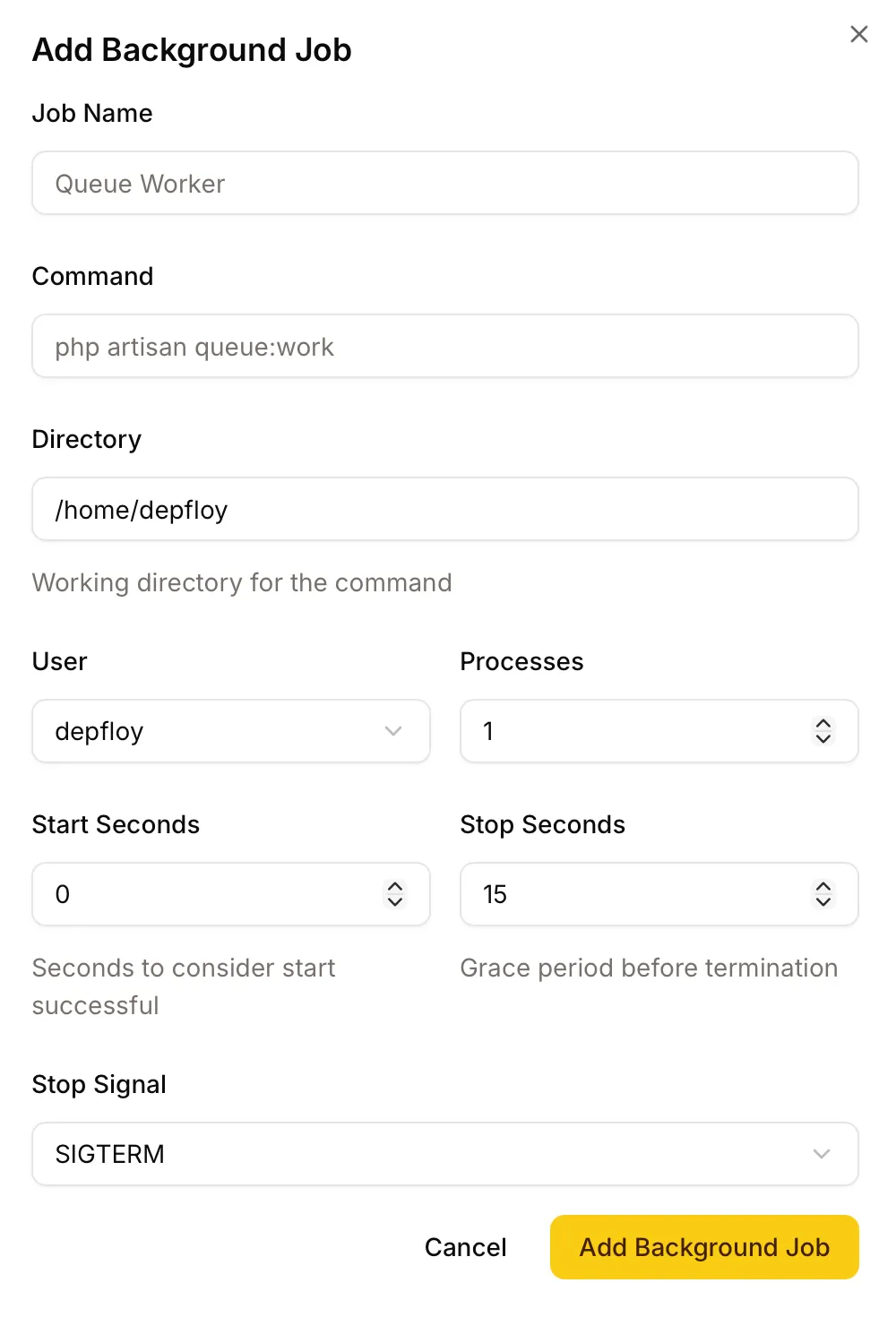
- Fill in:
- Job Name — for your reference; appears in the list.
- Command — what to run. For Laravel queues this is typically
php artisan queue:work --queue=default. - Directory — the working directory the command runs from.
- User — usually
depfloy. - Processes — how many copies of the command to run in parallel.
- Start seconds — seconds the process must stay alive before Depfloy considers it “started”.
- Stop seconds — seconds Depfloy waits for a graceful exit before forcing the process to stop. Defaults to 15.
- Stop signal — the signal sent to ask the process to stop. Defaults to
TERM.
Actions on a job #
Click the actions menu next to a job to manage it. The available actions change depending on the job’s state:
- Running — Output Logs, View Status, Edit, Restart, Stop, Delete
- Stopped — Output Logs, View Status, Edit, Start, Clear Logs, Delete
- Failed — Output Logs, View Status, Force Restart, Clear Logs, Edit, Delete
- Restarting / Stopping / Starting / Deleting — Output Logs and View Status only (transient states; you cannot take another action while the previous one finishes)
Force Restart #
When a job has crashed repeatedly and is in a failed state, Force Restart does the heavy lifting to recover it: stops it cleanly, re-applies its configuration, and starts it again. Use this when a normal Restart isn’t enough.
Clear Logs #
Job logs grow over time. Clear Logs truncates the standard output and error log files without removing them — your job keeps writing to the same log file, you just start with a clean slate. The action is safe to run while a job is running.
Watching live output #
Click Output Logs on a running job to open the log viewer. It auto-refreshes while open, with a “last fetched” indicator and a manual refresh button so you can see what your job is doing in close-to-real-time.
If a job has been quiet for a while, the viewer slows its refresh rate to save bandwidth. New output bumps it back to live mode.
View Status #
View Status shows a snapshot of what Depfloy currently knows about the job — uptime, exit codes, recent restart count. This is the page to check first when a job seems unhappy.
Watch a job with a heartbeat #
Turn on heartbeat in a job’s menu tells Depfloy to watch it. A listener installed next to the process supervisor on that server reports when the process starts, stops or exits, and sends a periodic all-is-well signal in between — so a process that dies and a supervisor that stops entirely are both caught.
Turning it on does not restart the job. See Uptime Monitoring.
Project-level background jobs #
Background jobs scoped to a single project are managed from the project’s Background Jobs tab — see Project Background Jobs. Same actions, same UI, just scoped so each project’s workers stay together.
If a server-level job is associated with a specific project (set when you created it), the project name appears as a small link next to the job’s description on this server-level list.
Laravel plugins #
If you’re deploying Laravel applications, you don’t need to set up background jobs by hand for the standard Laravel services. Octane, Reverb, Horizon, and Nightwatch can be installed with one click from the project’s Background Jobs tab and Depfloy manages them as background jobs for you. See Project Background Jobs for the full list and setup.