API Tokens
API tokens let you call the Depfloy API from scripts, CI pipelines, or third-party integrations. The page lives at Configuration → API Tokens in the Console.
Create a token #
Open Configuration → API Tokens, give the token a recognisable name, choose its permissions, and click Create. The full token string is shown only once at creation — copy it immediately and store it somewhere safe (a password manager, your CI provider’s secret store). Once you close the dialog, only the permissions can be changed; the token string cannot be retrieved.
You can create as many tokens as you need.
Permissions #
Each token has its own set of permissions. This way you can hand out a token that can only read deployment status, for example, without giving the token holder write access.
Permissions on a token narrow what it can do — they never widen it. Your role on the organization still applies, and so does any restriction to specific servers or projects on your membership. A token ticked with deployment:create, held by someone whose role cannot deploy, still cannot deploy.
Both sides have to allow an action, which is why a refusal names the permission that was missing: it tells you whether to widen the token or to ask an owner about your role. A read-only token cannot trigger a deployment — that needs deployment:create.
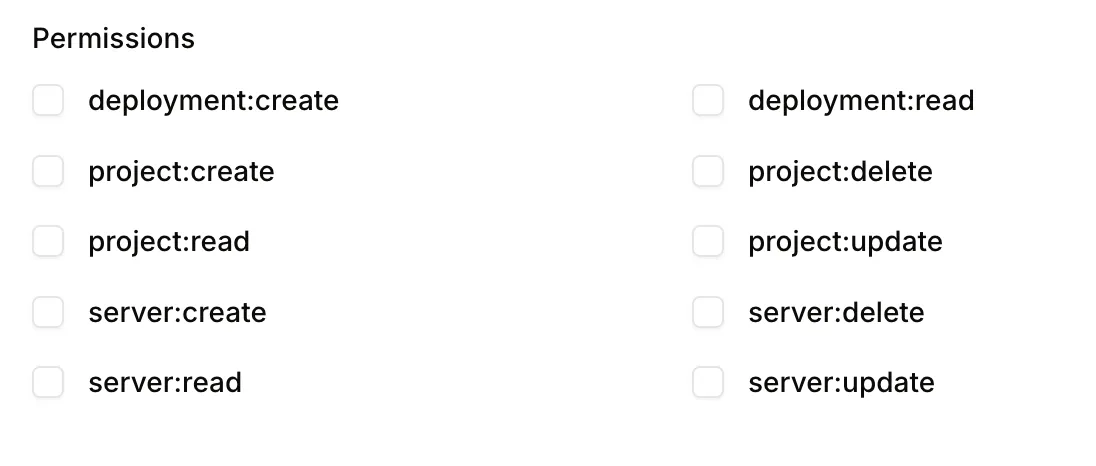
You can change a token’s permissions later — useful if you over-scoped it on creation, or if you want to tighten permissions on a token already in use without rotating it.
Revoke a token #
Click Remove next to a token to revoke it immediately. Any clients still using the token will start getting 401 Unauthorized responses on their next call. Revocation is permanent; you cannot un-revoke a token (create a new one instead).
Rate limits #
The Depfloy API allows up to 60 requests per minute per token. If you exceed this, you will get a 429 Too Many Requests response — slow your call rate or batch requests to stay under the limit.
For full API documentation, see API Reference → Quickstart.