Server Security
The Security screen on a server is where you review the security posture, read the root password, manage the firewall, transfer the server to another organization, and (when you're ready) delete it.
What Depfloy does to secure your server #
When you initialize a server, Depfloy applies these defaults:
- A unique SSH key per server — generated during provisioning and added to
authorized_keysforrootanddepfloy. This is what Depfloy uses to manage the server. - Password-based SSH disabled — root cannot sign in with a password after provisioning.
- A unique root password — available from the Security screen when you need it. See Root password.
- UFW firewall on, with only ports 22 (SSH), 80 (HTTP), and 443 (HTTPS) open by default.
- Automatic security updates — Ubuntu’s
unattended-upgradesis configured during install.
You’ll find the SSH keys (Server Public Key, Depfloy Public Key, and any keys you added) on the same screen. See SSH Keys for what each key is for.
Root password #
The Security screen hands you the server’s root password when you ask for it:
- Open Security on the server.
- Click the eye icon to reveal the password, or the copy icon to put it straight on your clipboard.
- Confirm with your account password or a passkey.
Around that request:
- The password leaves the screen after 30 seconds. Ask again whenever you need it.
- A copied password is cleared from your clipboard a minute later, as long as the tab still has focus.
- Once you have confirmed, further requests skip the prompt for a while.
- Every request is written to your organization’s activity log as Root password revealed, naming who asked and which server they asked about. The password itself is never recorded.
Owner and Admin can read a root password. Manager, Developer and Viewer administer the server without it — see Members & Roles.
Reading a root password is a Console action. API tokens cannot do it: the confirmation is proof that a person is present, and a token carries none.
Firewall #
Depfloy uses UFW (Uncomplicated Firewall) on Ubuntu. The Firewall screen lets you add and remove rules without dropping into the terminal.
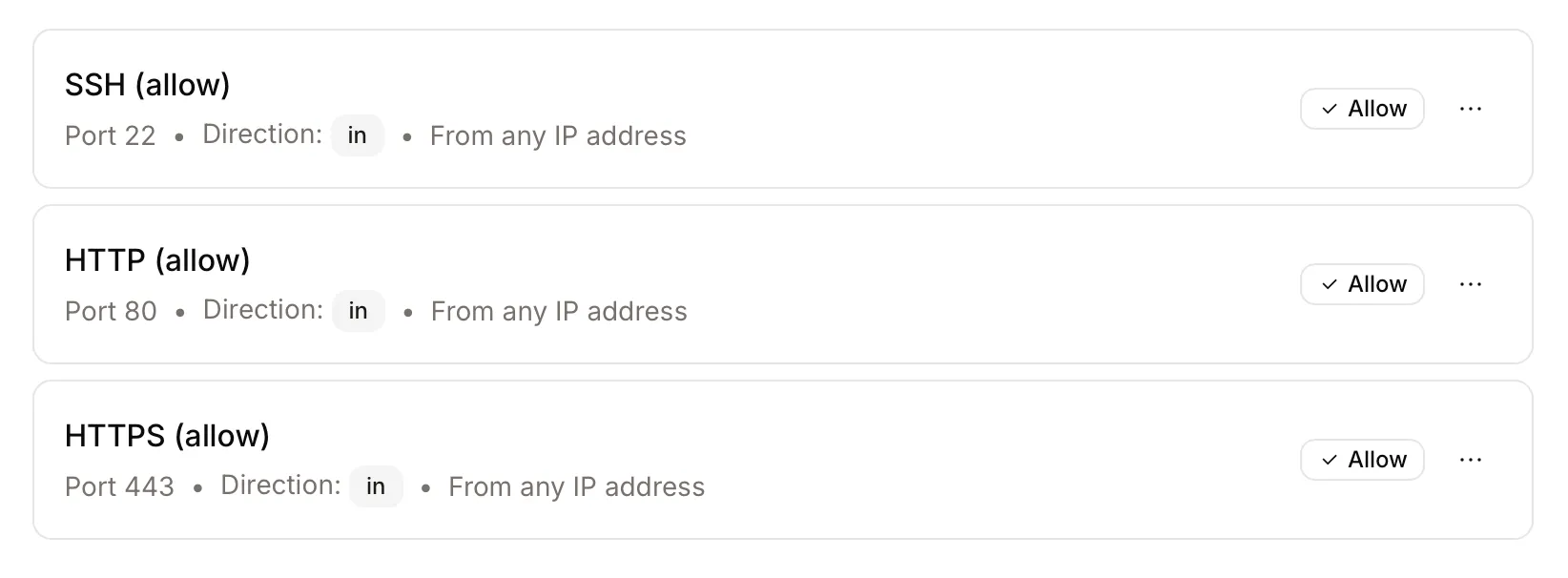
To add a rule:
- Click Add Rule.
- Choose protocol (TCP / UDP), port, and (optionally) source IPs.
- Save. Depfloy applies the rule on the server immediately.
You can also remove rules from the same list. If you’ve already opened a port directly on the host (sudo ufw allow ...) those rules will not appear in Depfloy’s list — only rules created through Depfloy are tracked here.
Rename a rule #
A rule’s ⋯ menu has Rename, for when Rule 4 should have said Grafana — office only. The name is a label and nothing else: the rule on the server is untouched, so the port, protocol, direction and source IP stay as they are, the rule is never dropped and re-added even for an instant, and its status stays Active.
A name is required and can be up to 255 characters.
Transfer to another organization #
You can move a server (and all of its projects) to another organization in the same Depfloy account, without re-provisioning, without losing deploy history. Useful when:
- A server was created in the wrong organization
- You’re reorganising work across organizations (for example spinning out a client into its own organization)
To transfer:
- Open Security on the server.
- Find the Transfer to Organization card.
- Pick a destination organization. The dropdown only lists organizations you are an Owner of — you can’t transfer into an organization where you don’t already have authority.
- Confirm. The server (with its projects) appears in the destination organization on the next page load.
A few notes:
- Transfers happen at the metadata level only. There’s no SSH change, no re-deploy, no certificate disruption — your projects keep running through the move.
- Members in the source organization who were scoped to this server (or its projects) lose their access when the server moves. The destination organization’s Owner can grant new scoped access if needed.
- This is a within-account move. There’s no cross-account transfer.
Delete server #
You can delete a server from the Security screen.
- If the server was provisioned through a provider (Hetzner), Depfloy also deletes it on the provider so you stop paying for it.
- If the server was set up manually, Depfloy only removes it from the Console — the underlying machine keeps running and is your responsibility to clean up.
Deleting a server also deletes every project on it. Move or back up anything you want to keep before deleting.