Notifications
Configure which Depfloy events notify you and through which channel. The page lives under Settings → Notifications (avatar dropdown in the top-right of the Console).
Channels #
Two delivery channels are available:
- Email — sent to the address on your Profile
- Slack — sent to a Slack workspace and channel you connect
Each event type can be toggled per channel independently — so you can, for example, get deployment failures by email but server alerts in Slack.
Event types #
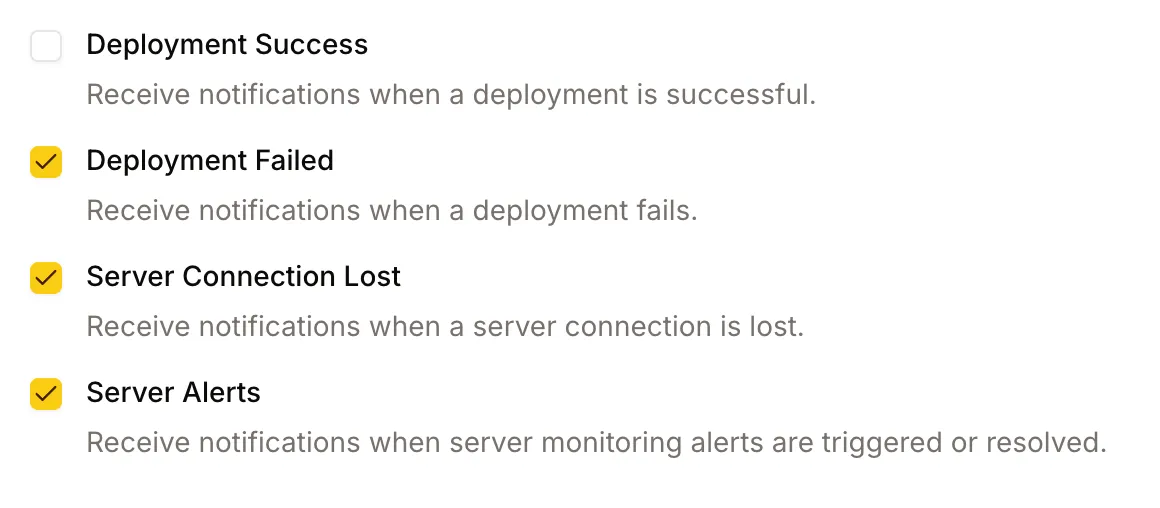
You can opt in to notifications for the following events:
- Deployment Success — a project finished a deployment successfully
- Deployment Failure — a project’s deployment failed
- Server Disconnection — Depfloy lost SSH access to one of your servers
- Server Monitoring Alerts — CPU, memory, or disk crossed a threshold you configured
- Monitor Down — a health check or heartbeat failed enough consecutive checks to be reported as down
- Monitor Recovered — a monitor is answering again, with how long it was down
- Support Ticket Reply — the Depfloy team replied to one of your support tickets
Tick the boxes you want and save your changes.
Monitor Down and Monitor Recovered arrive by email unless you turn them off — setting up a monitor is already the request to hear about it. See Uptime Monitoring.
When one event takes several monitors down at once, the messages are collected into one rather than arriving one per monitor.