Server Monitoring
Depfloy can watch your server's CPU, memory, and disk usage and notify you when something crosses a threshold you set. The Monitoring screen on a server is where you turn this on, configure alerts, and review history.
Server monitoring requires the Business plan.
Install the monitoring agent #
A small Depfloy agent runs on each monitored server to collect metrics. Install it once per server:
- Open the server in the Console and switch to Monitoring.
- Click Install Monitoring Agent.
- Wait a few minutes while Depfloy installs and starts the agent.
The agent samples CPU, memory, and disk every 5 minutes. The interval is fixed for now.
Configure alerts #
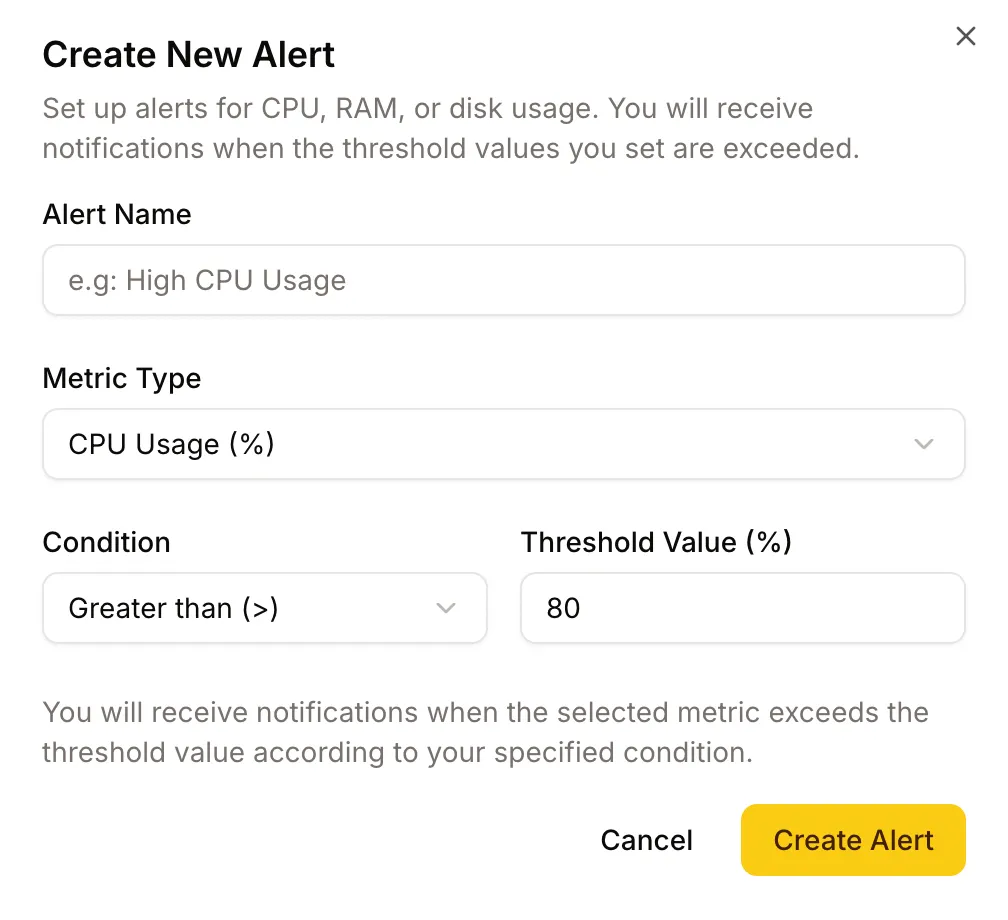
Click Configure Monitoring Alerts to add alert rules. The available metrics are:
- CPU usage — average across cores
- RAM usage — used / total
- Disk usage — used / total on the root partition
For each rule, set:
- The threshold (for example, CPU above 80%)
- How long the threshold must be sustained before alerting (so a short spike doesn’t page you)
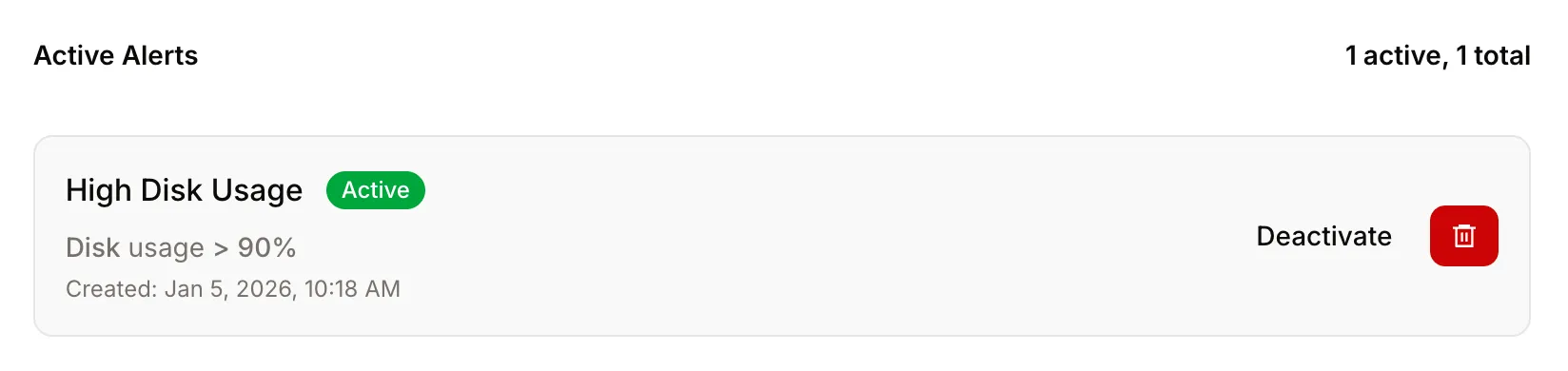
Existing alert rules are listed at the bottom of the screen. From there you can disable or delete each one.
Currently-firing alerts across all servers #
The Console’s Monitoring tab in the top bar shows every alert currently firing across the servers you have access to. It’s the page you’d open if a teammate said “production looks weird right now” — at a glance you can see which servers are alarming and on which metric.
Each row links to:
- The alert rule itself (so you can disable or adjust it)
- The server’s monitoring screen (so you can see history and other rules)
Notifications #
When an alert triggers you receive an email by default. To also receive Slack or other channels, configure them under Settings → Notifications and enable Server Monitoring Alerts.
Who can see what #
- Anyone with access to a server can see its monitoring data and the list of alert rules — useful for read-only visibility.
- Creating, editing, and deleting alert rules requires permission to update the server (Owner, Admin, Manager, or Developer roles — see Members).