Registration & Login
Learn how to create a Depfloy account, sign in with email, a passkey, or Google, and manage your connected accounts.
Create an account #
To get started with Depfloy, open Create account and enter your name, email address, and password. The eye button in a password field shows or hides what you typed.
All new accounts include a 7-day free trial with full access to all features — no credit card required.
Verify your email #
After registration, Check your inbox shows the address that received the verification email. Open the link in that message to continue. If it does not arrive, use Resend verification email after checking your spam folder. You can also sign out from this screen.
Sign in #
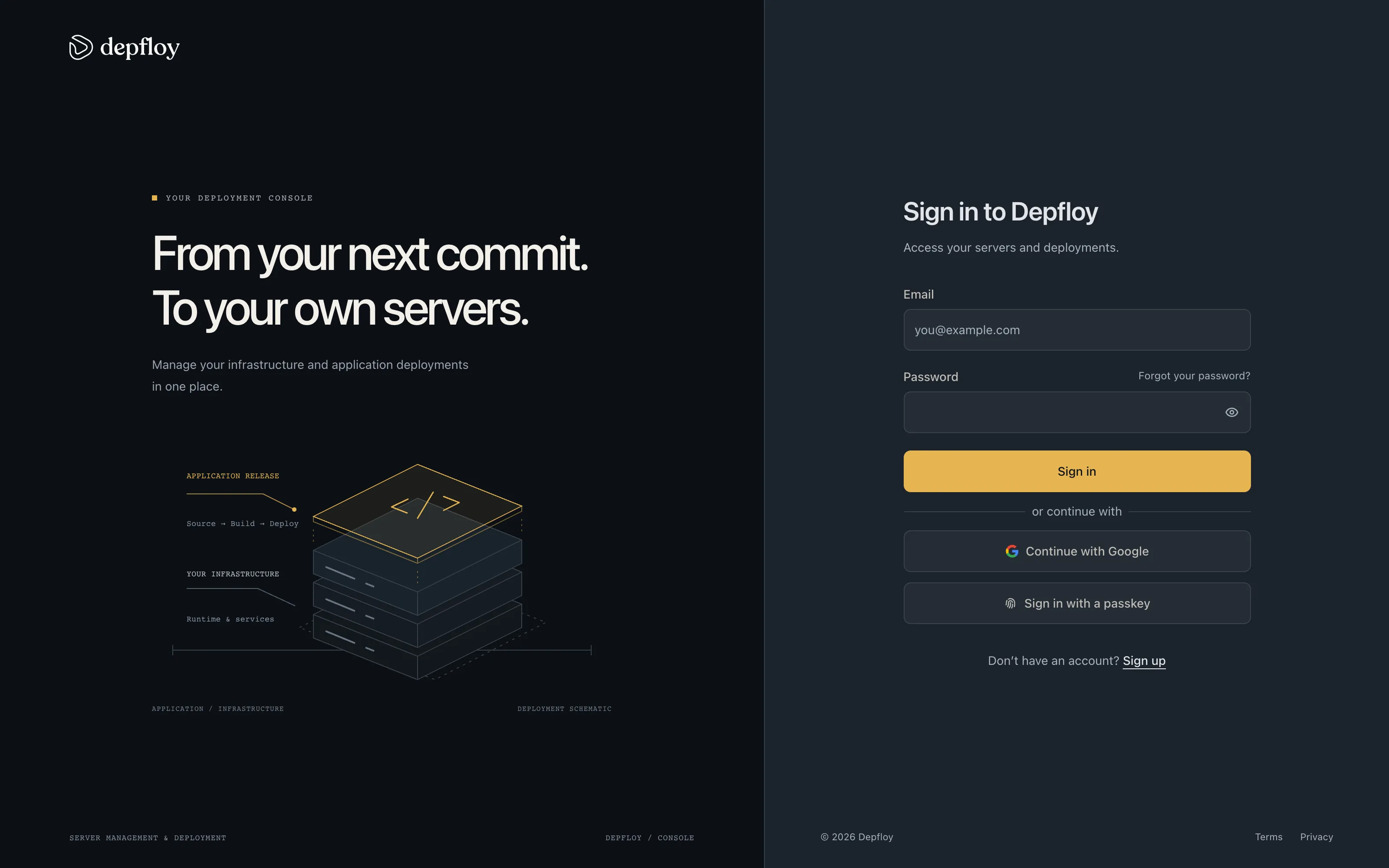
Open Sign in and use your email address and password, Google account, or an existing passkey.
Recover your password #
Choose Forgot your password?, enter your account email, and select Send reset link. The link opens Set a new password, where you enter and confirm the replacement password.
Passkeys #
A passkey is a sign-in credential stored on your device or in your password manager, unlocked with your fingerprint, face, or screen lock.
Sign in with a passkey #
Click Sign in with a passkey on the login page. You are not asked for an email: your browser shows the passkeys it holds for Depfloy, and the one you pick decides which account you sign in to. Confirm with your device unlock and you are in.
The button appears on browsers that support passkeys. Your password and Google both keep working, so a passkey is something you add rather than something you switch to.
Add a passkey #
Passkeys are managed from Settings → Profile — see Passkeys for adding, naming, and removing them.
Add your passkey before you need it. Signing in with one requires a passkey already saved for Depfloy, so the login page has nothing to offer an account that has never added one.
Google Sign-On #
Depfloy supports signing in and registering with your Google account.
Sign in or register with Google #
Click the Continue with Google button on the login page or the Sign up with Google button on the registration page. You will be redirected to Google to authorize access to your basic profile information and email address.
- If an account with your Google email already exists, your Google account will be automatically linked and you will be signed in.
- If no account exists, a new account will be created with a 7-day free trial and your email will be automatically verified.
Google Sign-On is not available when registering via a team invitation link. Invited users must register with email and password.
Link your Google account #
If you already have a Depfloy account and want to connect Google for faster login:
- Go to Account Settings
- Find the Connected Accounts section
- Click Connect next to Google
- Authorize Depfloy on the Google consent screen
Once connected, you can use either your email/password or Google to sign in.
Disconnect Google #
To disconnect your Google account, go to the Connected Accounts section in your account settings and click Disconnect.
If you registered with Google and have not set a password yet, you must set a password before disconnecting. You can do this from the Set Password section on your account settings page.
Team invitations #
Team administrators can invite new members by email. The invitation opens Accept your invitation with the invited address filled in and read-only. Enter your name and password to create the account attached to that organization. Google signup is not offered on this screen.
Invited members join the existing organization and do not start a separate trial.