Database Server
Use a Database Server when you want a database engine to run on its own machine, separate from your application servers. The Database screen on a Database Server lets you manage users, passwords, configuration, and connection details.
Supported engines #
Pick the engine when you create the server:
- MySQL
- PostgreSQL — supports primary-replica streaming replication for read scaling and failover
- ClickHouse — analytical workloads
You can also run a database engine on an App Server. The Database screen is available there too with the same management actions.
Connection details #
On the Database screen you’ll find everything you need to connect a client (TablePlus, Sequel Pro, DBeaver, your application):
- Host — your server’s public IP, or a private IP if you’re connecting over a private network
- Port — the standard port for the engine (3306 for MySQL, 5432 for PostgreSQL, 9000/8123 for ClickHouse)
- Username and password — for the user you create
- Connection URL — a one-click copy of the full URL ready to paste into your application
Click Copy Connection URL to grab the full URL.
Databases and passwords #
The Database screen lists the databases on your server. A database and the user that owns it are made together — you do not create a user on its own — and that user has rights to its own database and nothing else on the machine.
- Create database — give it a name. Leave the username empty and it matches the database name; leave the password empty and one is generated. The name is 1–63 characters: a lowercase letter first, then lowercase letters, digits or underscores. Names the engine keeps for itself, such as
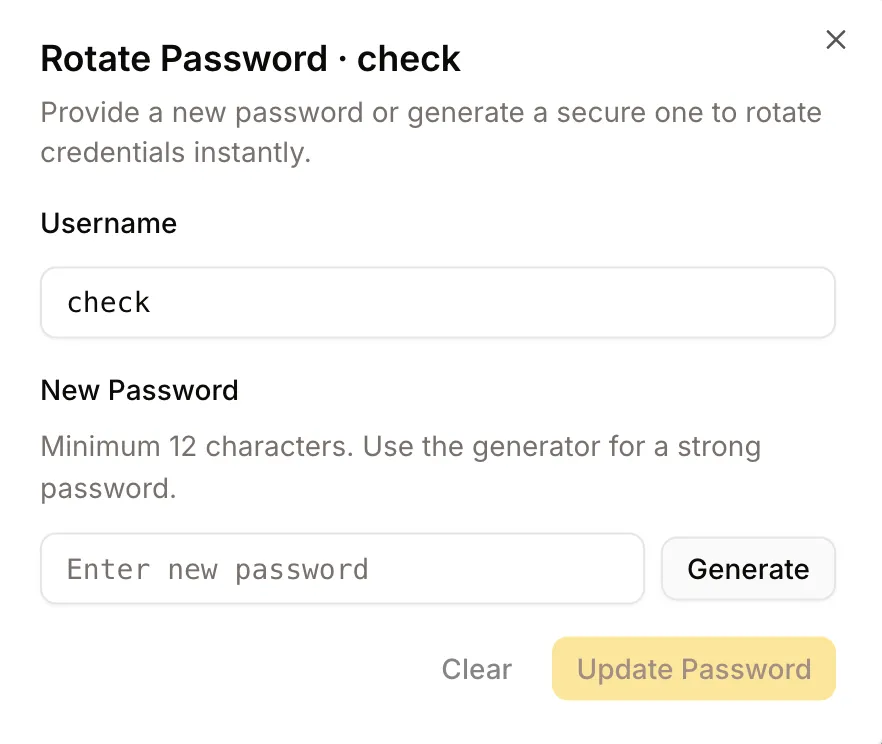
mysqlorpostgres, are refused. - Update a password — generate a secure one or set your own.
- Delete database — drops the database and its user. You are asked to type the name first, because what is in it goes with it and the only way back is a backup taken beforehand.
Two databases cannot be deleted from here:
- The one that came with the server. It holds the credentials Depfloy uses to manage the engine.
- One that belongs to a project. Delete the project and its database goes with it.
Passwords are not shown in the list. Ask for one database and you get its password with it.
Configuration #
You can edit the engine’s configuration file directly from the Console. Save your changes and Depfloy applies them and restarts the service.
Saving configuration changes restarts the database. Plan it for a low-traffic moment if you can.
PostgreSQL replication #
For PostgreSQL, Depfloy supports a primary-replica streaming-replication setup. You configure a primary on one server, then add replicas on other servers — each replica streams writes from the primary in near real-time and is ready to be promoted if the primary fails.
The setup wizard handles the heavy lifting (replication slots, base backup, configuration sync). The list of replicas shows their lag and health, and the Promote action turns a chosen replica into the new primary.
PgBouncer #
PostgreSQL servers come with PgBouncer for connection pooling. The Connection URL Depfloy gives you points through PgBouncer by default — your application doesn’t need to do anything extra to benefit. PgBouncer is configured automatically when PostgreSQL is installed.
Restarting the service #
The “More” menu in the server header has a restart entry for each engine installed (Restart MySQL / Restart PostgreSQL / Restart ClickHouse). You’ll see a confirmation dialog before any restart runs.
Backups #
You can schedule backups of the databases on this server to your own storage — S3, Cloudflare R2, SFTP, FTP, or a folder on the server — from the server’s Backups section. MySQL/MariaDB and PostgreSQL backups can also be restored from the Console. See Backups.