Scheduled Tasks
Use Scheduled Tasks to run shell commands on a recurring schedule — for example a nightly apt-get update, a weekly backup script, or any other cron-style job that lives at the server level rather than tied to a single project.
The Scheduled Jobs screen lives on a server’s view in the Console.
Server-level vs. project-level #
There are two places to schedule things in Depfloy:
- Server-level Scheduled Tasks (this page) — for OS-level commands, scripts that touch multiple projects, or anything not tied to a Laravel application. Depfloy writes these to the server’s crontab.
- Project-level Schedulers (Project Schedulers) — for Laravel application schedules defined in your code. Depfloy reads them from your project.
Use the right tool for the job — schedule a Laravel artisan task at the project level, schedule a system-level housekeeping task on the server.
Add a scheduled task #
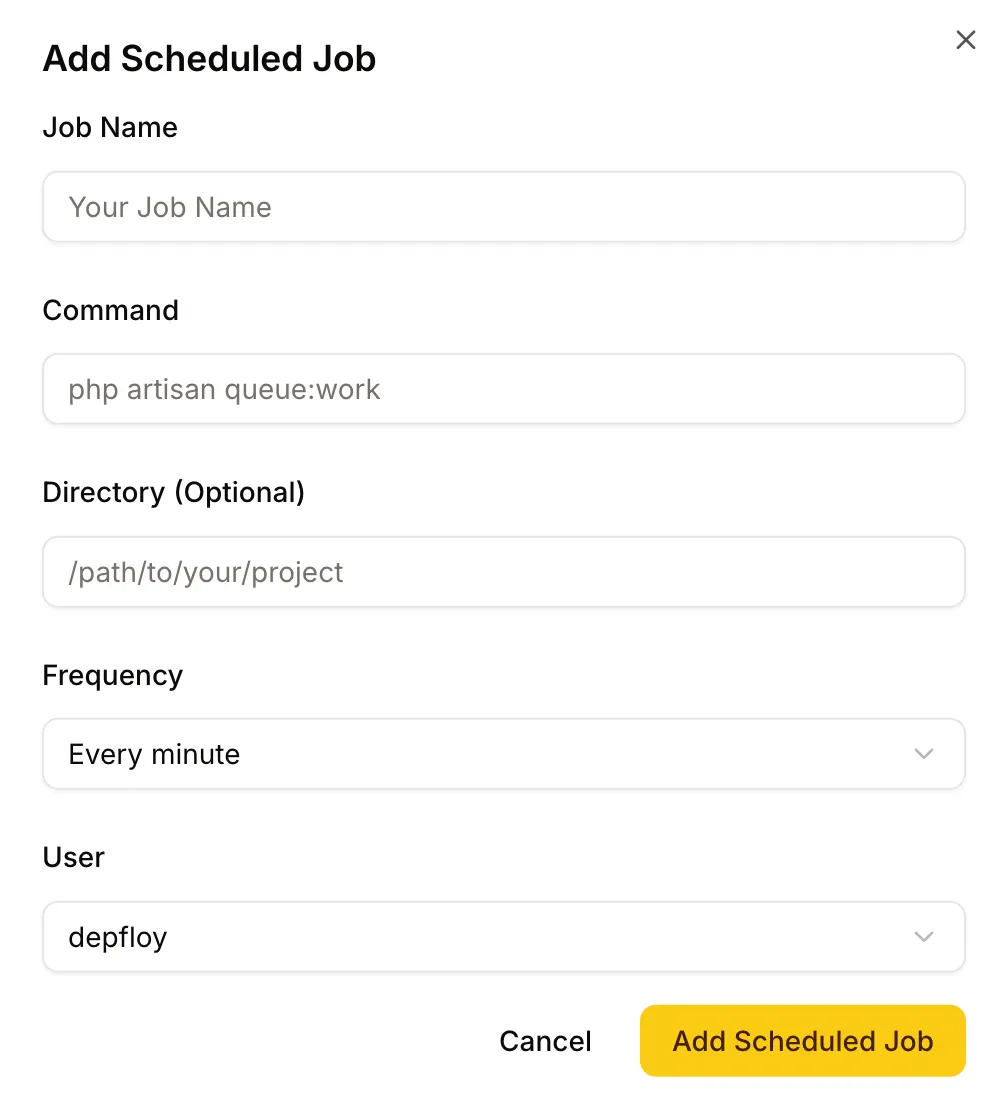
- Open Scheduled Jobs on the server.
- Click Add Scheduled Job.
- Fill in:
- Job Name — for your reference; appears in the list.
- Command — the shell command to run.
- Directory — working directory the command runs from. Defaults to the home directory of the user.
- User — usually
depfloy. Userootonly when you need elevated privileges. - Frequency — Daily, Weekly, Monthly, or Custom.
- Cron expression — only if you picked Custom. crontab.guru is a good helper.
Depfloy writes the job to the appropriate crontab and starts running it on schedule.
Manage existing tasks #
Each row in the Scheduled Jobs list has actions for stop, start, pause, resume, restart, edit, and delete.
The same menu carries Turn on heartbeat, which watches the task and notifies you when a run is late or reports a failure. The expected interval comes from the task’s own schedule. See Uptime Monitoring.
